
MacWhisper doesn't speak Claude, but LLM Bridge does
A small local proxy translates between the OpenAI and Anthropic APIs, so dictation and writing tools can also use Claude through LangDock or Anthropic.
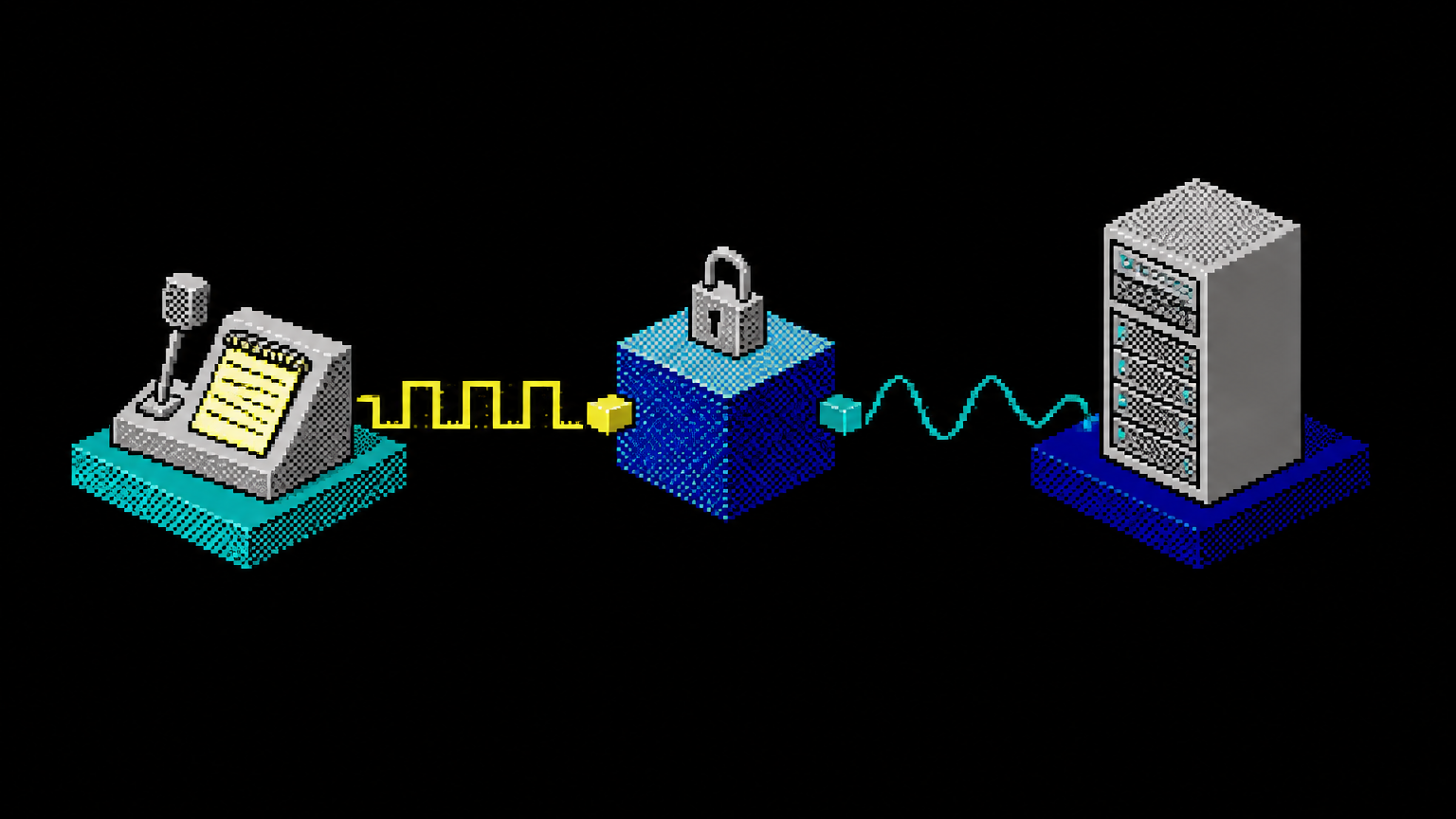
MacWhisper only supports the OpenAI API
In MacWhisper, you can enter your own provider, but it has to support the OpenAI Chat Completions API. Claude doesn't. Anthropic and LangDock expect requests in the Messages format, with a different structure for things like system prompts and images. If you use Claude models through LangDock's EU endpoint or directly with Anthropic, you can't use tools like these.
That’s why I built LLM Bridge: a small proxy that runs locally on your computer, accepts OpenAI requests, and forwards them as Anthropic requests. The response takes the reverse path. Version 0.1.0 is now available on GitHub.
What the bridge translates
The proxy offers /v1/chat/completions and /v1/models endpoints, with and without streaming. For streaming, it converts Anthropic’s Server-Sent Events into OpenAI chunks, so the text arrives in the client as the tool expects. It translates system prompts, images as Base64, tools including function calling, stop, temperature, max_tokens and JSON mode.
Set LangDock as the upstream provider, for example, the EU region, or use Anthropic directly. In your clients, use an alias instead of the long model ID: haiku points to the ID you configured in the bridge. If the ID changes, you update it in one place instead of in every tool. If you’d rather not use an alias, enter upstream-id/modell-id as the model name, for example langdock-eu/claude-sonnet-4-6-default.
The idea behind it: Asking each tool individually to add Claude support takes time, and not every vendor will do it. A translator in one central place solves the problem for all programs at once that accept an OpenAI-compatible provider.
If something goes wrong, such as an incorrect model ID, the client gets an error in OpenAI format with an easy-to-understand message.
How to configure the bridge in MacWhisper
On first launch, the Bridge creates a configuration with LangDock EU and the alias haiku and generates a random local access token. You save your upstream API key and fetch the model list, which shows the actual IDs in your workspace. Clicking an ID maps it to the alias. The default ID is just a guess, so verify it here. A test button then sends a single token and shows whether the chain through to Claude works. The key is stored in the system keychain (macOS Keychain, Windows Credential Manager, Linux Secret Service), never in the configuration file.
Then add an OpenAI-compatible provider in MacWhisper:
| Field | Value |
|---|---|
| Base URL | http://127.0.0.1:4000/v1 |
| API key | the local access token from the Bridge settings |
| Model name | the alias, for example haiku |
So MacWhisper never sees your real API key, only the local token.
On the server, too
If you need the Bridge without a user interface, for example on a Linux machine, start the command-line program. It uses the same configuration and statistics as the app:
llm-bridge set-key langdock-eu   # Enter the key without displaying it; it will be stored in the keychain
llm-bridge test haiku            # Connection test
llm-bridge serve                 # Proxy in the foreground, default port 4000
llm-bridge stats --range 30d     # Statistics for the last 30 days
On a server without a keychain, an environment variable such as LLM_BRIDGE_KEY_LANGDOCK_EU in the systemd unit.
Count without reading
For every request, the Bridge stores a row in a local SQLite database: timestamp, model, input, output, and cache tokens, response time, and status. The stats interface, available in German or English, shows this by model and client; the Bridge identifies the client by its User-Agent. CSV export is built in.
Prompts and responses are not stored. You can see which tool uses how many tokens without a log of your text being created anywhere. If a client cancels a stream, the Bridge records the request with the tokens counted up to that point and status 499. So even canceled responses show up on the bill.
The input tokens in the interface include cache-read and cache-write tokens, just as OpenAI prompt_tokens counts. Keep that in mind when comparing the numbers with your provider's bill.
Any website can knock on localhost
While securing it, I noticed something that's easy to overlook with local services. A proxy on 127.0.0.1 seems protected because no one can reach it from outside. But your browser runs on the same machine. A malicious website can use fetch() to send requests to http://127.0.0.1:4000 and an unprotected proxy would handle them, paid for with your API key. Through DNS rebinding, where a foreign domain name suddenly points to 127.0.0.1, the site could even read the responses.
The Bridge therefore rejects requests whose Origin header does not point to localhost, 127.0.0.1 or [::1] shows. As long as it only listens locally, the same applies to the Host header, and that blocks rebinding. It accepts chat requests only with Content-Type: application/json , which a foreign site can't send without a CORS preflight. Programs without a browser, including MacWhisper, don't send an Origin header and therefore pass through unhindered. There's also the access token from first launch. If you clear it in Settings, the proxy is open to every program on the computer.
The second direction concerns the upstream. The Bridge doesn't follow redirects, because otherwise the API key could be sent to an external destination. Instead, it reports the new address, and you enter it yourself. Upstreams must https:// use, http:// is only allowed for localhost. Configuration and statistics are readable only by your own user account.
Tray App, Updates, and Download
The tray app is built with Tauri 2, runs on macOS, Windows, and Linux, and includes the statistics interface. It can start at login, and you can start and stop the proxy using the tray icon. The proxy core is written in Rust with axum. The source code is available under the MIT license on GitHub.
The app installs new versions itself. It downloads an update in the background, verifies its signature, and only restarts after the proxy has gone five minutes without handling a request. This won't interrupt an active dictation. If you don't want this, turn it off in Settings. On the server, the command-line program updates with llm-bridge update, then restart the service.
You can find the product page at it-guy.ai/projects/llm-bridge, and the prebuilt packages on the Releases page on GitHub. The macOS downloads are signed with an Apple Developer ID and notarized. On Windows and Linux, the packages are unsigned: Check the checksum against the file SHA256SUMS in the release.
Created by Martin Schmid, with support from Claude Sonnet 5.5 (revised with Claude Opus 5.5) and approved after my own content review. Our Notices and disclaimer.